

How to Check Domain Age of Any Website for Free in 2026
Domain age is one of those SEO signals everyone talks about but very few people actually verify. Here's how to do it in seconds.

A client once asked me to audit a website they were considering buying. The seller claimed it had been "established since 2015" and wanted a premium price for it. Before anything else, I ran a quick domain age check.
The result? Created in 2022. Three years old — not ten.
That one 5-second check saved my client from overpaying by thousands of dollars. No technical skills needed. No paid tool. Just a free domain age checker and a domain name.
Whether you're doing SEO research, vetting a domain for purchase, or just curious about a competitor's history — knowing how to check domain age is a genuinely useful skill in 2026.
Quick Answer — What Does a Domain Age Checker Tell You?
A domain age checker retrieves the official registration record for any domain and calculates exactly how old it is. In one lookup you get:
Domain Age — exact years, months, and days since first registration
Creation Date — the precise date the domain was registered
Expiration Date — when the current registration runs out
Last Updated — the most recent date any registration detail changed
Registrar — which company the domain is registered through
Results appear in seconds. No account needed. Completely free.
What is Domain Age — And Why Does It Actually Matter?
Domain age is simply how long a domain name has existed since it was first registered. If a domain was created on January 1, 2018, and today is May 2026, the domain age is approximately 8 years and 4 months.
Sounds simple. But the implications go deeper than most people realize.
For SEO, domain age is one of many trust signals Google uses when evaluating a website's authority. An older domain that has been consistently active, publishing content, and earning backlinks carries more inherent credibility than a brand-new one. It's not the most powerful ranking factor — content and backlinks matter more — but it's a real signal that contributes to the overall trust score of a domain.
For domain purchasing, age is directly tied to price. Older domains with clean histories command premium prices on marketplaces. Knowing the real age before negotiating is basic due diligence.
For competitive research, domain age gives you context. A competitor ranking highly for competitive keywords with a 10-year-old domain is a very different challenge than one with a 2-year-old domain. Your SEO strategy should reflect that difference.
How Domain Age is Calculated
This is where it gets slightly nuanced — and worth understanding properly.
Domain age is calculated from the Creation Date in the WHOIS record — the date the domain was first registered with a domain registrar. The tool subtracts that date from today's date and gives you the exact age in years, months, and days.
One important detail: domain age counts from the original registration date, not from when the current owner bought it. Domains get bought and sold regularly. A domain registered in 2010 but purchased by its current owner in 2023 is still technically 15+ years old — even though the current owner has only held it for 2 years.
This is why domain age alone doesn't tell the whole story. A domain with 15 years of age but a completely different use case for 14 of those years isn't automatically trustworthy to Google. Consistency of use matters alongside age.
How to Check Domain Age for Free — Step by Step
.png align="center")
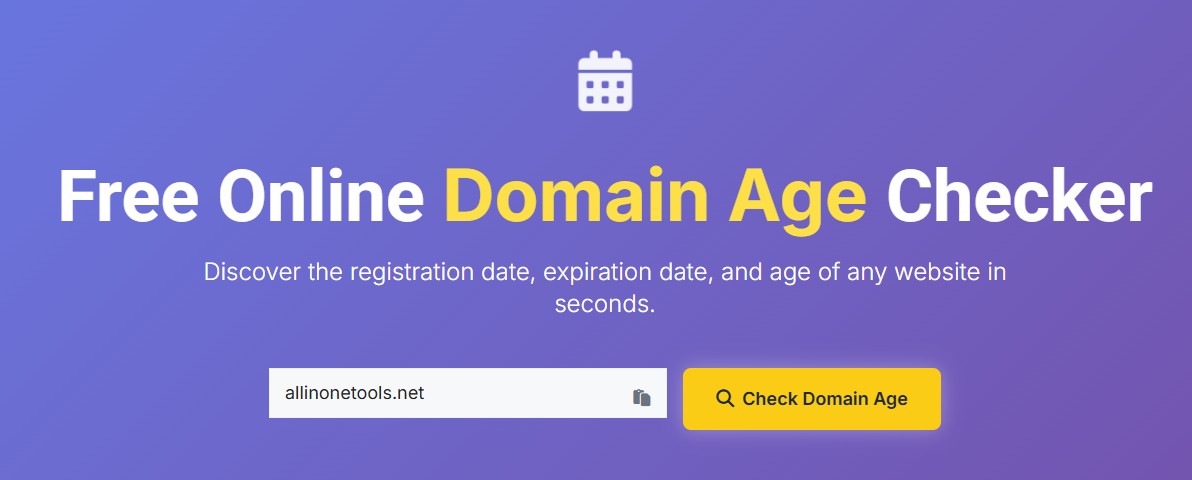
The fastest and most reliable way is using allinonetools.net/domain-age-checker/ — a free tool that pulls directly from official WHOIS registration data and presents the results in a clean, easy-to-read format.
Here's exactly how to use it:
Step 1: Visit allinonetools.net/domain-age-checker/
Step 2: Type any domain into the input field — for example: competitor.com or yourdomain.net. No need to include https://
Step 3: Click the green "Check Domain Age" button
Step 4: Within seconds, a structured result card appears with all registration details
Here's what a typical result looks like after running a check:
✅ Registration Info Found for yourdomain.com

Domain Age      →  5 years, 3 months, 14 days
Creation Date   →  Mon, 15 Feb 2021 08:30:00 GMT
Expiration Date →  Sat, 15 Feb 2027 08:30:00 GMT
Last Updated    →  Tue, 10 Jan 2026 14:22:11 GMT
Registrar       →  GoDaddy.com, LLC
Every field is clearly labeled. The "Copy Details" button at the bottom lets you grab everything at once — perfect for client reports, SEO audits, or documentation.
No sign-up. No captcha every 3 searches. No upgrade prompts. Just results.
Understanding Each Result Field
Domain Age — The headline number. Shown in years, months, and days for precision. A domain showing "0 years, 8 months, 12 days" is less than a year old — very new in SEO terms. One showing "12 years, 4 months, 7 days" has serious historical weight.
Creation Date — The exact timestamp the domain was first registered. This is pulled from the official domain registry — it's the authoritative record, not an estimate. The day, month, year, and time (in GMT) are all shown.
Expiration Date — When the current registration period ends. If this date is coming up soon, the domain owner needs to renew or risk losing it. For domain buyers, a near-expiry date is an opportunity — you can backorder it.
Last Updated — The most recent date any change was made to the registration record. A recent "Last Updated" date could indicate a nameserver change, ownership transfer, or renewal. Useful context when combined with other research.
Registrar — The company through which the domain is registered (GoDaddy, Namecheap, Google Domains, etc.). Different registrars have different policies on transfers, privacy, and pricing — useful to know if you're planning to acquire the domain.
Domain Age Checker: Free Tool vs Paid Tools vs Manual WHOIS
| Feature | allinonetools.net/domain-age-checker | Paid SEO Tools (Ahrefs, SEMrush) | Manual WHOIS Lookup |
|---|---|---|---|
| Cost | ✅ Free | ❌ $99–$449/month | ✅ Free |
| Sign-up needed | ❌ No | ✅ Yes | ❌ No |
| Age calculated automatically | ✅ Yes | ✅ Yes | ❌ Manual calculation |
| Clean readable format | ✅ Yes | ✅ Yes | ❌ Raw text output |
| Creation + Expiry + Registrar | ✅ Yes | ✅ Yes | ✅ Yes |
| Bulk domain checking | ❌ No | ✅ Yes | ❌ No |
| Full SEO metrics | ❌ No | ✅ Yes | ❌ No |
| Best for | Quick checks, research | Full SEO campaigns | Technical users |
Bottom line: For checking domain age — which is a single, specific data point — the free tool does it better than manual WHOIS (automatic calculation, clean layout) and costs nothing compared to premium SEO suites. Paid tools add value when you need domain age alongside DA, backlink counts, traffic estimates, and keyword data all in one place.
Domain Age vs Domain Authority — What's the Difference?
These two terms get confused constantly. They're related but measure very different things.
Domain Age is a factual, objective measurement. It's simply how long the domain has existed. It doesn't change based on what you do with the site — it just counts time. You can check it with a free tool in seconds.
Domain Authority (DA) is a score invented by Moz (and similar metrics exist from Ahrefs and SEMrush) that attempts to predict how well a domain will rank in search engines. It's calculated from hundreds of signals — backlink quality, content, technical SEO, traffic patterns, and yes, domain age is one input. DA scores range from 1 to 100.
A domain can be old but have low DA — if it's been sitting unused with no content or backlinks. Conversely, a newer domain can build DA quickly with aggressive content marketing and link building.
Domain age is an input. Domain authority is the output. Use the free age checker to get the input, and pair it with SEO tools if you need the full picture.
Common Mistakes People Make With Domain Age Research
Assuming age equals quality. An old domain that spent years as a spam site, a parked page, or in completely different industries carries much less SEO value than a younger domain with consistent, quality content. Age is one signal — not the whole story.
Forgetting to check expiry date. The expiration date is just as important as the creation date. A domain expiring in 3 months that the owner hasn't renewed is a domain at risk — or an opportunity if you want to acquire it.
Not checking the Last Updated field. A very recent "Last Updated" timestamp can indicate something just changed — nameservers, ownership, or registration details. If you're researching a domain for purchase, a recent update is worth investigating further with a WHOIS lookup.
Treating age as a shortcut. Some people buy aged domains thinking the age alone will boost their SEO. Google is smarter than that. An aged domain with a spammy history can actually hurt you. Always combine age research with backlink history analysis before purchasing.
Pro Tips for Domain Age Research
Check before you negotiate on a domain purchase. Always verify the creation date independently before agreeing to a price. Sellers sometimes misrepresent age — either accidentally or intentionally. The tool gives you the registrar's official record, not the seller's claim.
Use age to contextualize competitor rankings. If a competitor dominates your target keywords and their domain is 12 years old, you're competing against time itself — not just content. Factor this into your SEO timeline expectations.
Check expiry dates on domains you want. If a domain you've been eyeing shows an expiry date coming up in the next 60–90 days, set up a backorder through your preferred registrar. Domains that aren't renewed within the grace period become available for registration.
Combine with WHOIS for the full history. Domain age tells you when — WHOIS Lookup tells you who and what status. Together they give you a complete registration profile.
Pair with Hosting Checker for competitive intelligence. Knowing a competitor's domain age, who hosts them, and what DNS setup they use — all from free tools — gives you a surprisingly complete picture of their infrastructure. Run Hosting Checker and DNS Lookup alongside domain age for the full view.
Semantic Context — Related Concepts Worth Understanding
Domain Registration vs Domain Age — Registration is the act of claiming a domain name through a registrar. Domain age is the time elapsed since that first registration. They're connected but distinct concepts.
Expired Domains — When a domain isn't renewed before its expiration date, it enters a grace period, then a redemption period, before eventually being released back to the public. Expired domains with good age and backlink history are a legitimate SEO strategy — but require careful vetting.
Domain History — Age tells you how old a domain is. History tells you what it was used for. Tools like the Wayback Machine (web.archive.org) let you see snapshots of what a domain looked like at different points in time — crucial context when evaluating an aged domain for purchase.
Registry vs Registrar — The registry (like Verisign for .com) is the authoritative database for a TLD. The registrar (like GoDaddy or Namecheap) is the company you buy the domain from. Domain age data comes from the registry record, accessed via WHOIS protocol.
FAQs — Real Questions About Domain Age
Where does the domain age data come from? The tool queries the official WHOIS database maintained by domain registries — the same authoritative source used by registrars and ICANN. This is the official record, not an estimate or third-party approximation.
Is domain age a Google ranking factor? Google has confirmed that domain age plays a role, but it's a minor signal compared to content quality, backlinks, and user experience. John Mueller from Google has said that new domains can outrank old ones with better content — age alone doesn't guarantee rankings.
What if the domain uses privacy protection — will age still show? Yes. Privacy protection hides owner contact details but the structural registration data — creation date, expiry date, registrar, last updated — remains publicly accessible. Domain age calculation is unaffected by privacy settings.
Can I check country-code domains like .in, .uk, or .io? Yes. The tool works across a wide range of TLDs including country-code extensions. Some newer or less common TLDs have limited WHOIS data, but major extensions all work reliably.
Is the Domain Age Checker free to use? Completely free. No account required, no usage limits for normal lookups, no hidden upgrade prompts. Visit allinonetools.net/domain-age-checker/, enter a domain, get results.
What's the difference between Creation Date and Last Updated? Creation Date is when the domain was first registered — it never changes. Last Updated reflects the most recent modification to the registration record, which changes whenever nameservers, contact details, or registration period are updated.
Explore the Full Suite of Free Domain Research Tools
Domain age is one piece of the puzzle. For complete domain intelligence, the Web & Tech Tools collection at allinonetools.net has everything you need in one place:
WHOIS Lookup — Owner details, domain status, nameservers, full registration record
Hosting Checker — Find the hosting provider, server IP, and location
DNS Lookup Tool — Check all DNS records: A, MX, CNAME, TXT, NS
Domain to IP Converter — Get all IPv4 and IPv6 addresses instantly
SSL Checker — Verify SSL certificate validity and days remaining
Run all five on any domain and you have a complete technical and historical intelligence profile in under 5 minutes — all free, all without signing up for anything.
Conclusion
Domain age is one of those data points that takes 5 seconds to check but can save you hours of wasted effort — whether you're doing SEO planning, domain acquisition research, or competitive analysis.
The free Domain Age Checker at allinonetools.net gives you the creation date, exact age, expiration date, last updated timestamp, and registrar — all pulled from official registry data, presented cleanly, with a one-click copy option.
No account. No payment. No friction.
Enter any domain you're curious about right now and see exactly how old it really is. You might be surprised.
Have you ever discovered a domain was much younger — or older — than you expected? Drop it in the comments. The gap between claimed age and actual age is always interesting.
About the author
- Founder of AllInOneTools.net — building simple, free, no-login web tools that solve everyday problems. I focus on practical tools, SEO, productivity, and shipping useful software in public. Writing from real experience while building and growing AllInOneTools.
Comments
Join the discussionNo comments yet. Be the first to comment.


