How to Convert Domain to IP Address for Free in 2026 (Step-by-Step)
Every website has a secret address. Here's how to find it in seconds.

A few months back, a friend called me confused. He was trying to set up a VPN whitelist for his office network and needed the exact IP address of a vendor's website. He tried pinging it from the terminal but got intimidated by the output. He tried Googling it but got generic results.
I told him: "Just use a domain to IP converter. Takes 5 seconds."
He went quiet for a moment and then said, "...that's a thing?"
Yes. It absolutely is. And if you're a developer, network engineer, security researcher, or even just someone curious about how the internet works — knowing how to convert a domain to an IP address is a genuinely useful skill. In this article, I'll show you exactly how to do it for free, what the results mean, and when you'd actually need this in real life.
What Even Is an IP Address?
Before we get into the how, let's quickly cover the why.
Every device on the internet — servers, computers, phones — communicates using IP addresses. An IP address is basically a numerical label that identifies a machine on a network. When you type google.com into your browser, your computer doesn't actually go to "google.com" — it goes to something like 142.250.195.14. The domain name is just a human-friendly alias for that number.
There are two types of IP addresses you'll encounter:
IPv4 — The older, more common format. Looks like four numbers separated by dots: 88.222.243.113. Every device on the internet had one of these, but we're running out of them because there are only about 4.3 billion possible combinations.
IPv6 — The newer format built to replace IPv4. Looks like a long string of hexadecimal numbers separated by colons: 2a02:4780:3d:fc72:d8b5:2c5c:8dde:489d. There are enough IPv6 addresses to give every grain of sand on Earth its own address — multiple times over.
Most websites today have both an IPv4 and an IPv6 address. A good domain to IP converter will show you both.
How to Convert a Domain to IP Address for Free
The Easiest Way: Use the Free Domain to IP Converter Tool
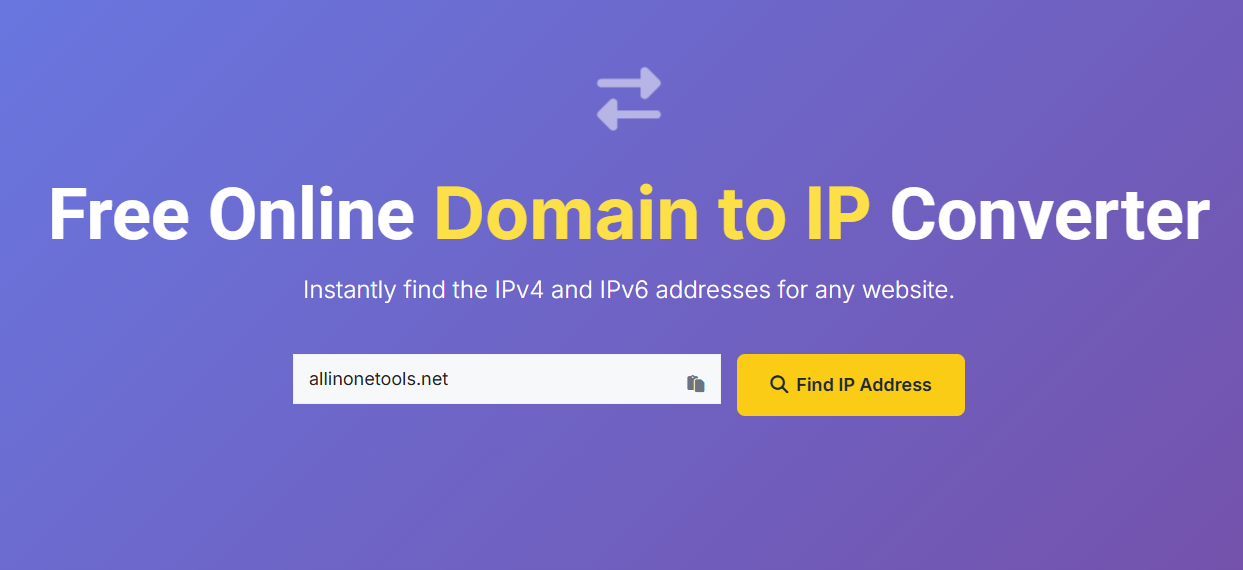
The fastest and most beginner-friendly method is using allinonetools.net/domain-to-ip-converter/ — a free online tool that instantly finds all IP addresses (both IPv4 and IPv6) for any domain.
Here's exactly how to use it:
Step 1: Go to allinonetools.net/domain-to-ip-converter/
Step 2: Type or paste the domain name into the input field. You can enter it with or without https:// — for example: google.com or https://google.com
Step 3: Click the green "Find IP Address" button
Step 4: Within seconds, you'll see a clean result card showing all IP addresses associated with that domain, clearly labeled as IPv4 or IPv6
That's genuinely it. No account. No sign-up. No limits. 100% free.
What the Results Look Like
When I ran the tool on allinonetools.net itself, here's what came back:
IP Addresses for allinonetools.net

88.222.243.113    → IPv4 Address
93.127.173.118    → IPv4 Address
2a02:4780:3d:fc72:d8b5:2c5c:8dde:489d  → IPv6 Address
2a02:4780:3c:61ee:496b:5a3d:c604:d1f2  → IPv6 Address
Notice something interesting — there are two IPv4 addresses and two IPv6 addresses. That's completely normal. Large websites often use multiple IP addresses for load balancing — distributing traffic across several servers so no single one gets overwhelmed. It also provides redundancy: if one server goes down, traffic automatically routes to the other.
The results are displayed cleanly with each address labeled, and there's a one-click copy button so you can grab the addresses instantly without selecting text manually.
Why Would You Actually Need to Know a Domain's IP Address?
This is the question worth answering. Here are the real-world situations where converting a domain to IP is genuinely useful:
🔧 Network Troubleshooting
When a website isn't loading, one of the first things to check is whether the domain is resolving to the correct IP address. If the IP has changed (because of a server migration, for example) and DNS hasn't fully propagated yet, some users will be hitting the old server while others hit the new one. Finding the current IP lets you verify what's actually happening.
🔒 Security Analysis and Research
Security professionals routinely look up IP addresses to investigate suspicious domains. If a domain resolves to an IP address in an unexpected country or hosting provider, that's a red flag worth investigating. Knowing the IP also lets you cross-reference it against threat intelligence databases.
🖥️ Server Configuration
When setting up firewalls, VPN whitelists, or network access rules, you often need exact IP addresses rather than domain names. Some firewall rules don't accept domain names at all — they require the raw IP. This tool gets you there instantly.
📧 Email and DNS Verification
Sometimes when troubleshooting email delivery issues, checking which IP a domain resolves to helps verify whether your DNS records are pointing to the right mail server.
🌍 Hosting Research
Curious about where a competitor's website is hosted? The IP address is your starting point. Once you have it, you can do a reverse IP lookup to find the hosting provider.
Understanding IPv4 vs IPv6 — Which One Should You Use?
When you get both types back from the tool, you might wonder: which one do I use?
For most purposes, IPv4 is what you want. It's universally supported, widely understood, and what most firewall rules, server configs, and network tools expect. The format is human-readable and easy to work with.
IPv6 is the future, but the present still runs heavily on IPv4. That said, if you're working with a modern hosting environment or cloud infrastructure, IPv6 support is increasingly important and worth noting.
The domain to IP converter at allinonetools.net gives you both, so you always have the full picture. You can decide which to use based on your specific situation.
Multiple IP Addresses — What Does That Mean?
As I showed in the results above, a single domain can resolve to multiple IP addresses. Here's why that happens and what it means:
Load Balancing — The most common reason. Large websites distribute incoming traffic across multiple servers. Each server has its own IP, and DNS rotates between them to spread the load evenly. This is called round-robin DNS.
Geographic Distribution — Some websites serve different IPs to users in different regions. A user in India might get a server in Singapore, while a user in the US gets one in Virginia. This reduces latency by routing users to the nearest server.
Failover / Redundancy — If the primary server goes down, DNS can automatically route traffic to a backup server with a different IP.
CDN (Content Delivery Network) — If a site uses a CDN like Cloudflare or Akamai, the IP you see might actually be the CDN's edge server, not the origin server.
All of this is normal and expected for any website with decent infrastructure.
Explore More Free Web Tools
The Domain to IP Converter is just one of many free tools available on allinonetools.net. If you found this useful, the Web & Tech Tools category has a full collection of related tools worth bookmarking:
DNS Lookup Tool — Check all DNS records (A, MX, CNAME, TXT, NS) for any domain
Whois Lookup — Find out who owns a domain and when it was registered
Hosting Checker — Discover which hosting provider any website is using
Domain Age Checker — Find out exactly how old a domain is
SSL Checker — Verify if a website's SSL certificate is valid and when it expires
All of these are free, require no sign-up, and give you instant results. If you're regularly doing website research, SEO analysis, or network troubleshooting — that tools page is worth keeping in your bookmarks.
Common Questions About Domain to IP Conversion
Can one IP address serve multiple domains?
Yes — this is called shared hosting, and it's extremely common. Thousands of websites can share a single IP address. The web server uses the domain name in the HTTP request to figure out which site to serve. So finding an IP doesn't necessarily mean it uniquely identifies one website.
Can one domain have multiple IP addresses?
Also yes — as explained above. Load balancing, CDNs, and geographic distribution all lead to this.
Is the IP address permanent?
Not necessarily. IP addresses can change when a website moves to a new server, switches hosting providers, or reconfigures their infrastructure. That's why DNS exists — so you always use the friendly domain name and let DNS handle the routing, even when IPs change.
Why is the IP different from what I expected?
If a site uses a CDN like Cloudflare, the IP you see will be Cloudflare's edge server — not the origin server. This is intentional and provides security (the real server IP is hidden) and performance benefits.
Does the tool work for subdomains?
Yes. You can enter mail.yourdomain.com, shop.yourdomain.com, or any subdomain and get its IP address independently.
Final Thoughts
The internet feels abstract until you realize it's really just millions of computers talking to each other using numbers. Domain names are the friendly layer on top — and tools like the Domain to IP Converter at allinonetools.net let you peel back that layer whenever you need to.
Whether you're debugging a network issue, configuring a firewall, doing security research, or just satisfying your curiosity — converting a domain to its IP address is a fundamental skill. And now you can do it in about five seconds, completely free.
Give it a try. Enter any domain you're curious about and see what comes back.
Got a question about IP addresses or ran into a confusing result? Drop it in the comments — happy to help.
About the author
- Founder of AllInOneTools.net — building simple, free, no-login web tools that solve everyday problems. I focus on practical tools, SEO, productivity, and shipping useful software in public. Writing from real experience while building and growing AllInOneTools.
Comments
Join the discussionNo comments yet. Be the first to comment.


