

What is a Redirect Checker? How to Trace URL Redirects for Free in 2026
Redirect chains are silently killing your SEO and slowing down your pages. Here's how to find them in seconds.

A client came to me last year with a frustrating problem. Their website had been migrated twice in three years — first from HTTP to HTTPS, then from one domain to another. Traffic had dropped noticeably after each migration, and nobody could figure out why.
I ran a redirect check on their most important pages.
The results were painful. Some URLs were going through four or five redirects before reaching the final page. A visitor clicking a link would bounce from the old HTTP version → to the HTTPS version → to the old domain → to the new domain → and finally land on the actual page. Five hops. Every single hop adds latency, bleeds SEO authority, and frustrates users.
One redirect trace. Thirty minutes of cleanup work. Traffic started recovering within weeks.
That's the power of knowing your redirect chain — and knowing how to check it for free.
Quick Answer — What Does a Redirect Checker Show You?
A redirect checker traces the complete path a URL takes from its starting point to its final destination. It shows you:
Every step (hop) in the redirect chain
HTTP status code at each step (301, 302, 200, etc.)
The URL at each step of the journey
Total number of redirects found
Final destination URL where the chain ends
Results appear in seconds. No installation needed. Completely free.
What is a URL Redirect?
A URL redirect is an instruction that automatically sends visitors — and search engines — from one URL to another. Instead of landing on the page they requested, the browser follows the redirect and ends up somewhere else.
You've experienced this thousands of times without noticing. When you type google.com without the www, you get redirected to www.google.com. When a company rebrands and changes their domain, old links redirect to the new one. When a page moves to a different URL, the old address redirects to the new location.
Redirects are a normal and necessary part of how the web works. The problem isn't redirects themselves — it's too many of them stacked on top of each other, which is what the redirect checker finds and exposes.
The Most Important HTTP Status Codes in Redirects
Before diving into how to use the tool, it helps to understand what those numbered codes actually mean:
| Code | Name | What It Means | SEO Impact |
|---|---|---|---|
| 200 | OK | Final destination — no more redirects | ✅ Healthy |
| 301 | Moved Permanently | Page has permanently moved to new URL | ✅ Passes ~95% of link authority |
| 302 | Found (Temporary) | Page temporarily at different URL | ⚠️ Does not reliably pass authority |
| 307 | Temporary Redirect | Same as 302 but preserves HTTP method | ⚠️ Temporary — no authority transfer |
| 308 | Permanent Redirect | Like 301 but preserves HTTP method | ✅ Passes authority |
| 404 | Not Found | Page doesn't exist at this URL | ❌ Breaks the chain entirely |
| 500 | Server Error | Server crashed trying to serve this URL | ❌ Serious problem |
The green 200 badge you see in the redirect checker result is what you want at the end of every chain — it means the URL reached its final destination successfully.
How to Check URL Redirects for Free — Step by Step
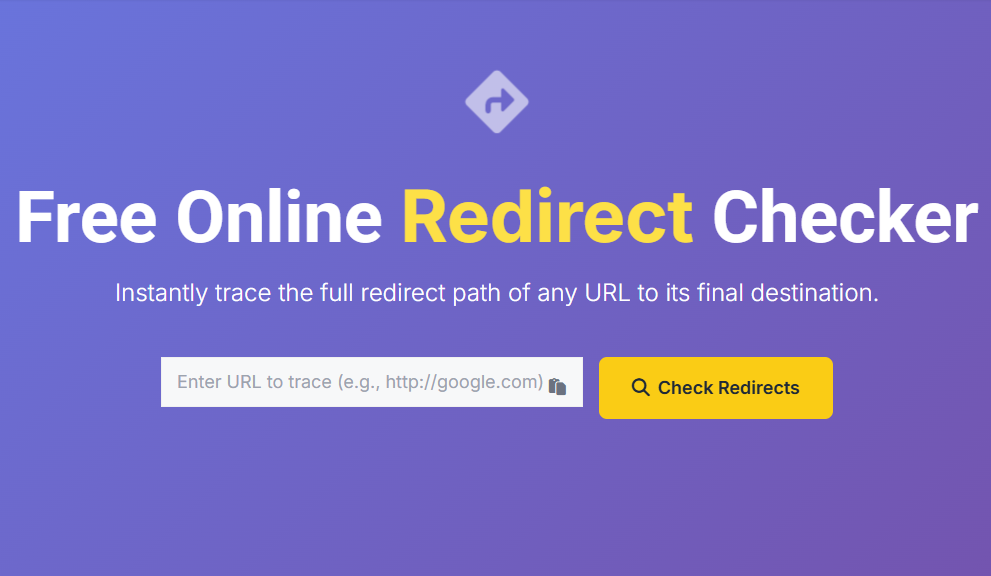
The fastest and clearest way is using allinonetools.net/redirect-checker/ — a free tool that instantly traces the full redirect path of any URL and displays every hop with its status code.
Step 1: Go to allinonetools.net/redirect-checker/
Step 2: Paste any URL into the input field — including the full protocol: https://yourwebsite.com/old-page/
Step 3: Click the green "Check Redirects" button
Step 4: The redirect trace appears instantly in a dark result card
Here's what a clean result looks like — one with no redirects:
Redirect Trace for https://yourwebsite.com/
Found 0 redirect(s).

✅ 200  Step 1
        https://yourwebsite.com/
And here's what a redirect chain looks like:
Redirect Trace for http://old-domain.com/page/
Found 3 redirect(s).

🔄 301  Step 1
        http://old-domain.com/page/
        ↓
🔄 301  Step 2
        https://old-domain.com/page/
        ↓
🔄 301  Step 3
        https://new-domain.com/page/
        ↓
✅ 200  Step 4
        https://new-domain.com/page/
Each step shows the status code badge and the exact URL at that point in the chain. You can see precisely where the redirects happen and what the final destination is.
No sign-up. No installation. Completely free.
Why Redirect Chains Are Bad — For SEO and Users
A single redirect is fine. It's when multiple redirects stack up that problems start.
SEO Authority Loss Every redirect passes slightly less link equity than a direct link. One 301 redirect passes approximately 95% of the original page's authority. Two redirects in a chain compound this loss. Three or four redirects and you've meaningfully reduced the SEO value being passed — especially problematic for pages you've spent years building backlinks to.
Slower Page Load Times Every redirect adds an extra HTTP request and round trip. On a fast connection this might add 50–100ms per hop — barely noticeable. But on mobile connections or slower networks, three or four redirects can add half a second or more to load time. Google uses page speed as a ranking signal, and users abandon slow pages.
Googlebot Crawl Budget Search engine crawlers have a limited crawl budget for each site — a maximum number of pages they'll crawl in a given period. Redirect chains waste crawl budget because Googlebot has to follow each hop before reaching the actual content. On large sites, this can result in important pages not getting crawled and indexed.
Redirect Loops Sometimes misconfigured redirects create a loop — Page A redirects to Page B which redirects back to Page A. Browsers detect this and show an error. The redirect checker catches loops immediately, showing the circular pattern in the trace.
Real World Use Cases — When to Use a Redirect Checker
After a Website Migration This is the #1 use case. Every time a site moves — new domain, new URL structure, HTTP to HTTPS — redirect chains accumulate. Running a redirect check on your most important pages after any migration is not optional — it's essential maintenance.
SEO Auditing When auditing a site's technical SEO, redirect chains are a standard check. They're common, impactful, and easy to fix once identified. Run the redirect checker on your top-traffic URLs and top-linked URLs first.
Affiliate Link Tracking Affiliate marketers use redirect chains intentionally — but knowing the full chain helps verify that tracking is working correctly and that the final destination is what you expect.
Investigating Competitor URLs Check how competitors have set up their redirects — particularly useful when analyzing recently migrated or rebranded sites to understand their URL structure strategy.
Debugging 404 Errors When a page that used to work now returns a 404, checking the redirect trace shows exactly where the chain broke — which step in the sequence is failing.
Verifying Fix After Cleanup After cleaning up redirect chains, run the checker again to confirm the fix worked. The result should show 0 redirects and a clean 200 OK at Step 1.
Redirect Checker: Free Tool vs Paid SEO Tools
| Feature | allinonetools.net/redirect-checker/ | Paid Tools (Ahrefs, Screaming Frog) |
|---|---|---|
| Cost | ✅ Free | ❌ $99–$449/month |
| Sign-up needed | ❌ No | ✅ Yes |
| Full redirect chain trace | ✅ Yes | ✅ Yes |
| Status code at each step | ✅ Yes | ✅ Yes |
| Final destination URL | ✅ Yes | ✅ Yes |
| Bulk URL checking | ❌ No | ✅ Yes |
| Crawl entire site | ❌ No | ✅ Yes |
| Best for | Individual URL checks | Full site audits |
For checking specific URLs — which is what 95% of people need — the free tool does everything required. Paid tools earn their cost only when you need to check hundreds or thousands of URLs simultaneously across an entire site.
How Many Redirects is Too Many?
This is the practical question most people want answered.
0 redirects — Ideal. Direct URL reaches the destination with a 200 OK. No issues.
1 redirect — Acceptable. A single 301 from HTTP to HTTPS, or from www to non-www, is standard and expected. No problem here.
2 redirects — Worth noting. Not a crisis, but worth consolidating if possible. Common after one migration.
3+ redirects — Fix this. Three or more hops in a chain is actively harming your SEO and page load time. This is what the redirect checker is designed to help you find and eliminate.
Redirect loop — Fix immediately. A circular redirect prevents the page from loading at all. Users see browser errors. Googlebot gives up. Priority fix.
The goal after running a redirect check should be to consolidate every chain down to a single hop maximum — or zero if the URL is the final destination.
How to Fix Redirect Chains
Once the redirect checker shows you the problem, fixing it is usually straightforward:
For chains caused by HTTP → HTTPS + domain change: Instead of:
http://old-domain.com → https://old-domain.com → https://new-domain.com
Create a single direct redirect:
http://old-domain.com → https://new-domain.com (one hop, done)
In WordPress: Use a redirect plugin like Redirection or update your .htaccess file directly to set up a single direct 301.
In Apache (.htaccess):
Redirect 301 /old-page/ https://newdomain.com/new-page/
In Nginx:
return 301 https://newdomain.com/new-page/;
In Cloudflare: Use Page Rules or Redirect Rules to set up direct single-hop redirects that bypass any server-level chains.
After making changes, always run the redirect checker again to confirm the chain is gone and you're getting a clean 200 OK at the final destination.
Common Mistakes With URL Redirects
Using 302 instead of 301 for permanent moves. A 302 tells search engines the move is temporary — so they keep the old URL indexed and don't fully transfer authority. If a page has permanently moved, always use 301. This is one of the most common and costly SEO mistakes around redirects.
Not checking redirects after every migration. Most redirect chains don't appear all at once — they build up over multiple migrations. A site that's been moved twice or three times almost certainly has chains. Make redirect checking a standard post-migration checklist item.
Redirecting to the homepage when a page is deleted. When a specific page is removed and no equivalent replacement exists, some developers redirect to the homepage as a catch-all. Google considers this a "soft 404" — the redirect returns 200 but the content doesn't match what was requested. Better to return a proper 404 or 410 if no equivalent page exists.
Forgetting mobile and www variants. Check both www.yoursite.com and yoursite.com, and check both HTTP and HTTPS versions. All four variants should resolve cleanly to a single canonical URL with minimal hops.
Pro Tips for Getting the Most Out of Redirect Checking
Check your most linked pages first. The pages with the most backlinks lose the most from redirect chains. Run the checker on your top-linked URLs before anything else — these are where chain cleanup has the biggest SEO impact.
Combine with HTTP Headers for complete analysis. The redirect checker shows the chain. The HTTP Headers Viewer shows what headers the final destination returns — Cache-Control, security headers, compression. Use both together for a complete technical picture of any URL.
Run it on competitor URLs strategically. If a competitor recently migrated their site, run their key URLs through the redirect checker. Chains on their high-value pages mean their SEO authority is leaking — a potential opportunity for you.
Build redirect checking into your launch checklist. Any time a new page goes live, a URL changes, or a migration happens — add redirect checking to the checklist before announcing the change publicly.
FAQs — Real Questions About Redirect Checkers
What is the difference between a 301 and 302 redirect? A 301 is permanent — it tells browsers and search engines the page has moved forever, and authority passes to the new URL. A 302 is temporary — search engines keep indexing the original URL and authority transfer is unreliable. Always use 301 for permanent moves.
Why are redirect chains bad for SEO? Each hop in a chain slightly reduces the link authority being passed, adds page load time, wastes crawl budget, and creates unnecessary complexity. Google's John Mueller has confirmed that redirect chains are worth fixing from both a performance and crawlability perspective.
Can a redirect checker detect redirect loops? Yes. The tool traces each step in the chain. If Step 3 points back to Step 1, the loop is visible in the trace output. Fix redirect loops immediately — they make pages completely inaccessible.
How many redirects is acceptable? One redirect is acceptable — for example, HTTP to HTTPS. Two is tolerable but worth consolidating. Three or more should be fixed. The goal is always to reach a 200 OK in as few hops as possible.
Does checking redirects affect my website? No. A redirect check simply makes the same HTTP request any browser would make. It doesn't affect your server, your analytics, or your users in any way.
Is the Redirect Checker free to use? Completely free. allinonetools.net/redirect-checker/ requires no sign-up, has no usage limits for normal checking, and gives you instant step-by-step results.
Related Articles Worth Reading
If this article was useful, these connect directly to what you've just learned:
What Are HTTP Headers? — Understanding status codes and response headers in depth goes hand-in-hand with redirect analysis. [Read the HTTP Headers guide →]
How to Ping a Website for Free — Check if a URL is reachable before tracing its redirects. [Read the Ping guide →]
How to Check SSL Certificate for Free — Redirect chains from HTTP to HTTPS connect directly to SSL configuration. [Read the SSL guide →]
Conclusion
Redirect chains are one of those technical SEO issues that build up silently over time — each migration adding another hop, each hop costing a little more speed and authority. Most site owners have no idea how many redirects their key pages are going through until they actually check.
The free Redirect Checker at allinonetools.net makes checking effortless — paste a URL, click Check Redirects, and see every step in the chain instantly with status codes at each hop.
Check your most important pages today. You might be surprised what you find.
Have you found a redirect chain with 4 or more hops on your site? Drop it in the comments — the longest chain I've personally seen was 7 hops. Yes, really.
About the author
- Founder of AllInOneTools.net — building simple, free, no-login web tools that solve everyday problems. I focus on practical tools, SEO, productivity, and shipping useful software in public. Writing from real experience while building and growing AllInOneTools.
Comments
Join the discussionNo comments yet. Be the first to comment.


